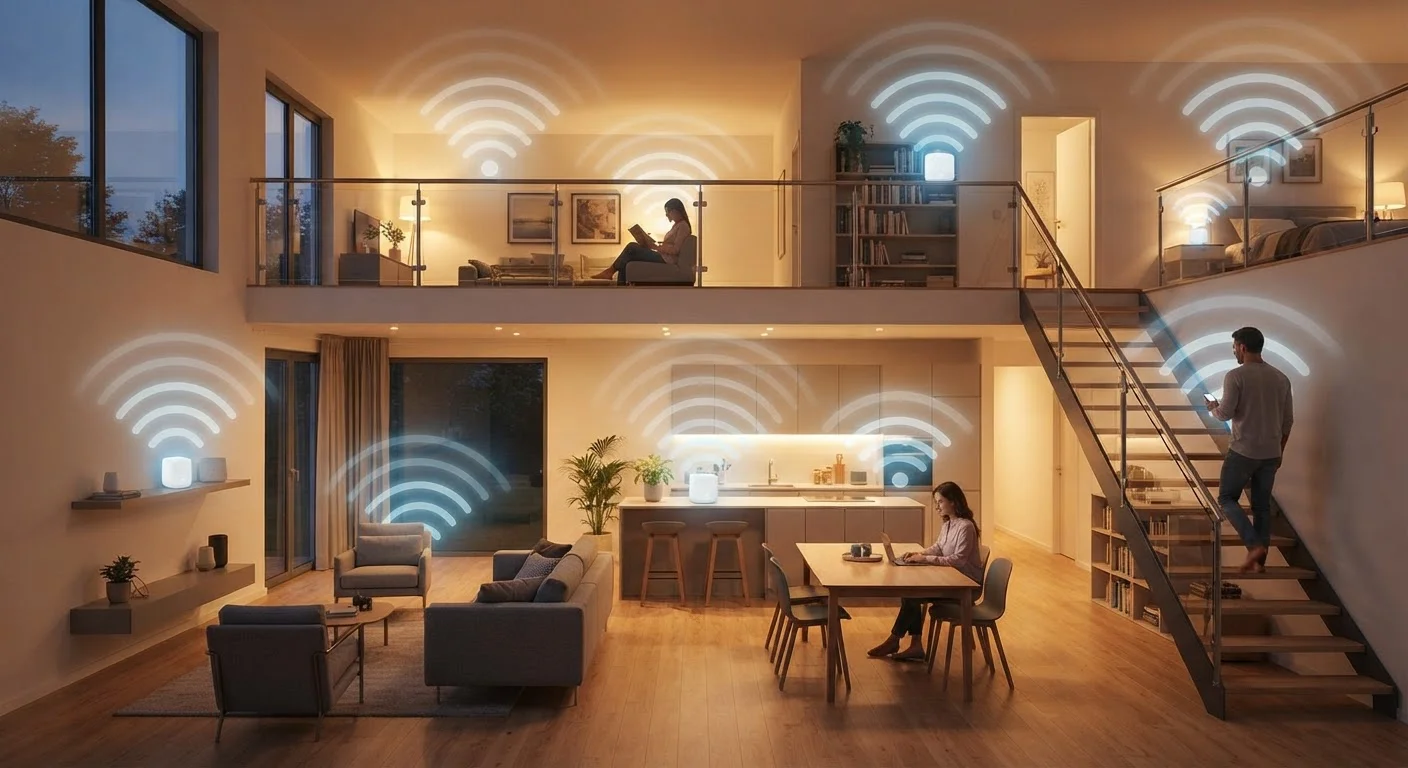
Why One Router Often Isn't Enough
The promise of Wi-Fi is simple: untethered internet access throughout your home. The reality is more complicated. A conventional router works like a single lamp in a large house — it illuminates the area immediately around it reasonably well, but the far corners stay dim. Walls, floors, appliances, and building materials all absorb and scatter radio signals. By the time a signal travels across two floors and through several walls, it may be too weak for reliable video streaming, let alone the always-on demands of smart home devices.
Dead zones aren't just an inconvenience. For a smart home setup — where lights, thermostats, cameras, and locks all depend on consistent connectivity — a patchy network can mean missed automations, delayed alerts, or devices that go offline entirely. Understanding why dead zones form is the first step toward solving them.
Building Materials Matter Significantly
Concrete, brick, ceramic tile, and metal all block Wi-Fi signals more aggressively than standard drywall. Homes built with these materials — including many older construction styles and basement-heavy layouts — tend to experience more severe dead zones even over moderate distances. If your home has these characteristics, a mesh system is worth considering earlier rather than later.
How Mesh Networks Solve the Coverage Problem
A mesh network replaces the single-router model with a team approach. You start with a primary node connected directly to your modem, then place additional satellite nodes throughout your home — in hallways, upstairs bedrooms, or at the far end of a garage. Every node talks to the others, and together they broadcast a single Wi-Fi network name. Your phone, laptop, or smart speaker connects to whichever node is closest and strongest, switching automatically as you move around.
The key advantage over older solutions like Wi-Fi extenders is that mesh nodes use a dedicated communication path — often called a backhaul — to relay traffic among themselves. This keeps the airwaves your devices use from getting congested with internal chatter. The result is a network that feels like one coherent system rather than a patchwork of overlapping signals with different names and passwords.
30%+
Homes reporting Wi-Fi dead zones
Industry surveys from networking hardware researchers consistently find that a significant share of U.S. households experience persistent coverage gaps, particularly in multi-floor or larger homes.
~1,500 sq ft
Typical single-router effective range
Under real-world conditions with standard construction, most consumer routers provide reliable coverage up to roughly 1,000–1,500 square feet, with signal quality declining beyond that range.
25+
Average connected devices per U.S. household
Research from network analytics firms indicates the average American household now runs more than two dozen connected devices, increasing demand for consistent whole-home coverage.
Mesh Networks and Smart Home Devices
A smart home can easily have dozens of connected devices — sensors, bulbs, cameras, doorbells, and hubs — spread across every room and floor. Consistent Wi-Fi coverage isn't a convenience in that context; it's a dependency. A video doorbell at the front of the house, a security camera in the backyard, and a smart display in the kitchen all need reliable signals to function as intended.
Mesh systems handle this well because devices simply connect to the nearest node. You don't reconfigure anything as you add nodes — the network manages placement automatically. If you're building out a smart home and haven't yet settled on which protocols and devices to use, it's worth reading about how different standards fit together: smart home protocol differences can shape your entire setup. Similarly, what a smart home hub does is worth understanding before you invest in hardware.
Place Nodes Strategically, Not Just Centrally
Resist the urge to cluster mesh nodes near each other or in closed cabinets. Nodes work best when placed in open areas roughly halfway between the primary unit and the edge of your coverage problem. Upstairs hallways, living room shelves, and open kitchen counters tend to be effective placements. Avoid closets, behind televisions, or near microwaves, which can interfere with 2.4 GHz signals.
When a Mesh Network Makes Sense — and When It Doesn't
Mesh systems shine in specific situations: homes over 2,000 square feet, multi-story layouts, buildings with thick walls or unusual floor plans, and households with many concurrent connected devices. If your current setup regularly produces buffering, dropped connections, or unreachable smart devices in certain rooms, a mesh network is a logical solution to investigate.
That said, mesh isn't universally necessary. A well-positioned, capable single router can fully cover a compact apartment or a small single-floor home without any additional hardware. In those cases, adding mesh nodes introduces cost and complexity with no real benefit. It's also worth noting that some smart home devices — those using protocols like Zigbee or Z-Wave — operate on their own radio frequencies and are entirely unaffected by your Wi-Fi setup. For a quick reference on what each protocol does, the protocol glossary is a useful starting point. For Wi-Fi-dependent devices like smart doorbells, connectivity quality matters directly — see the trade-offs covered in wired vs. wireless smart doorbells.
Before purchasing any system, map your home's problem areas, note where devices underperform, and consider your square footage and layout. That ground-level assessment will tell you more than any spec sheet.