What Android and iOS Actually Are
Every smartphone runs an operating system (OS) — the core software that manages everything your phone does, from displaying apps to connecting to Wi-Fi. In the U.S., two operating systems power the overwhelming majority of smartphones: Android, developed by Google, and iOS, developed by Apple.
Android is open-source, meaning its base code is publicly available and phone manufacturers — Samsung, Google, Motorola, and many others — can build their own versions of it. iOS, by contrast, is closed and runs only on Apple's iPhones. This single difference in how the software is licensed shapes almost every contrast between the two platforms. For a broader look at what to expect as a new user, see our beginner's guide to smartphones.
| Criterion | Android | iOS |
|---|---|---|
| Who makes it | Google (open to manufacturers) | Apple (iPhones only) |
| Hardware variety | Hundreds of device models | iPhone lineup only |
| Customization | High — launchers, defaults, widgets | Limited — structured layout |
| App store | Google Play Store | Apple App Store |
| Software updates | Varies by manufacturer | Direct from Apple, simultaneous |
| Ecosystem fit | Google services, some cross-brand | Apple devices (Mac, iPad, Watch) |
| Default app flexibility | Fully configurable | Limited, improving gradually |
Customization and Control
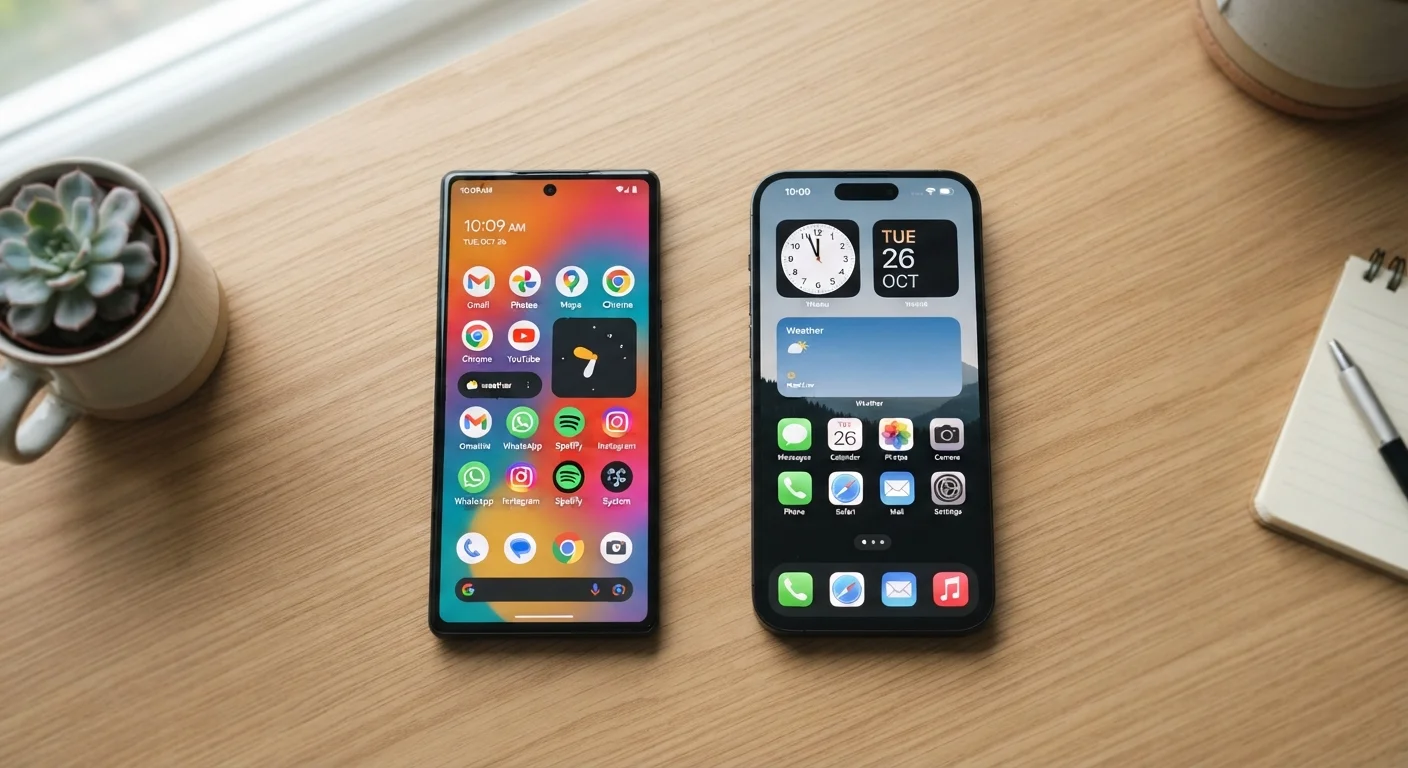
Android gives users more direct control over how their phone looks and functions. You can replace the entire home screen layout using a third-party launcher (an app that controls your home screen), set any app as your default browser or email client, and place widgets — small live-updating panels — almost anywhere. If you want your phone to feel entirely different from how it shipped, Android makes that possible.
iOS is more structured. Apple controls the layout rules closely, which creates a consistent experience across all iPhones but limits how much you can rearrange things. Since iOS 14, Apple has allowed home screen widgets and, more recently, limited default app changes — but the degree of customization is still narrower than Android. Many users find this simplicity a feature rather than a drawback, particularly those new to smartphones.
~55%
U.S. smartphone market share held by iOS
According to Statcounter data, iOS consistently holds a majority share of U.S. smartphone usage, while Android leads globally.
5–7 years
Typical iOS software support window
Apple has supported recent iPhone models with OS updates for five to seven years; Android support timelines vary widely by manufacturer.
3.5M+
Apps available on Google Play Store
Both the Google Play Store and Apple App Store offer millions of apps, with significant overlap in major titles and services.
Apps, Updates, and Ecosystem
Both platforms have enormous app libraries. The Google Play Store and Apple App Store each host millions of apps, and most major apps are available on both. Where differences emerge: some apps launch on iOS first, while certain Android-exclusive tools take advantage of that platform's openness. Gaming apps, in particular, sometimes appear earlier on one store than the other.
Software updates work very differently. Apple pushes iOS updates directly to all supported iPhones simultaneously. With Android, updates travel through Google to the device manufacturer, which may customize them, and then to the carrier — meaning some Android phones receive updates months after Google releases them, and older devices may stop receiving updates sooner. This is worth considering for long-term security.
Ecosystem integration is another real consideration. If you use a Mac, iPad, or Apple Watch, iOS offers features like AirDrop for quick file sharing, iMessage for encrypted texting between Apple devices, and Handoff, which lets you start a task on one Apple device and continue it on another. Android integrates tightly with Google services — Gmail, Google Drive, Google Photos — which are also available on iOS, though with some limitations.
Connectivity and Practical Considerations
Both platforms support the same core connectivity features — Wi-Fi, Bluetooth, mobile data, and hotspot sharing. Understanding how those connections work is useful regardless of which platform you use; our guide on mobile data, Wi-Fi, and hotspots covers the fundamentals in plain language.
One practical difference worth noting: switching platforms is not painless. Moving from Android to iOS or vice versa means your purchased apps, saved game progress (unless cloud-synced), and some settings do not transfer. Contacts and photos can generally be migrated, but the process requires some advance planning. If you are heavily invested in one ecosystem — through purchased apps, subscriptions, or device integrations — that investment is a realistic factor in any decision.
For readers curious about hardware specs that affect everyday performance on either platform, our breakdown of RAM, storage, and processors explains what those numbers actually mean in practice.
Neither Platform Is Inherently 'Safer'
Both Android and iOS receive regular security patches and have built-in protections against malicious apps. The practical security difference for most users comes down to keeping the OS updated and being thoughtful about app permissions — habits that matter on either platform. See our guide on smartphone security habits for actionable steps that apply regardless of which OS you use.