The Problem a Hub Is Designed to Solve
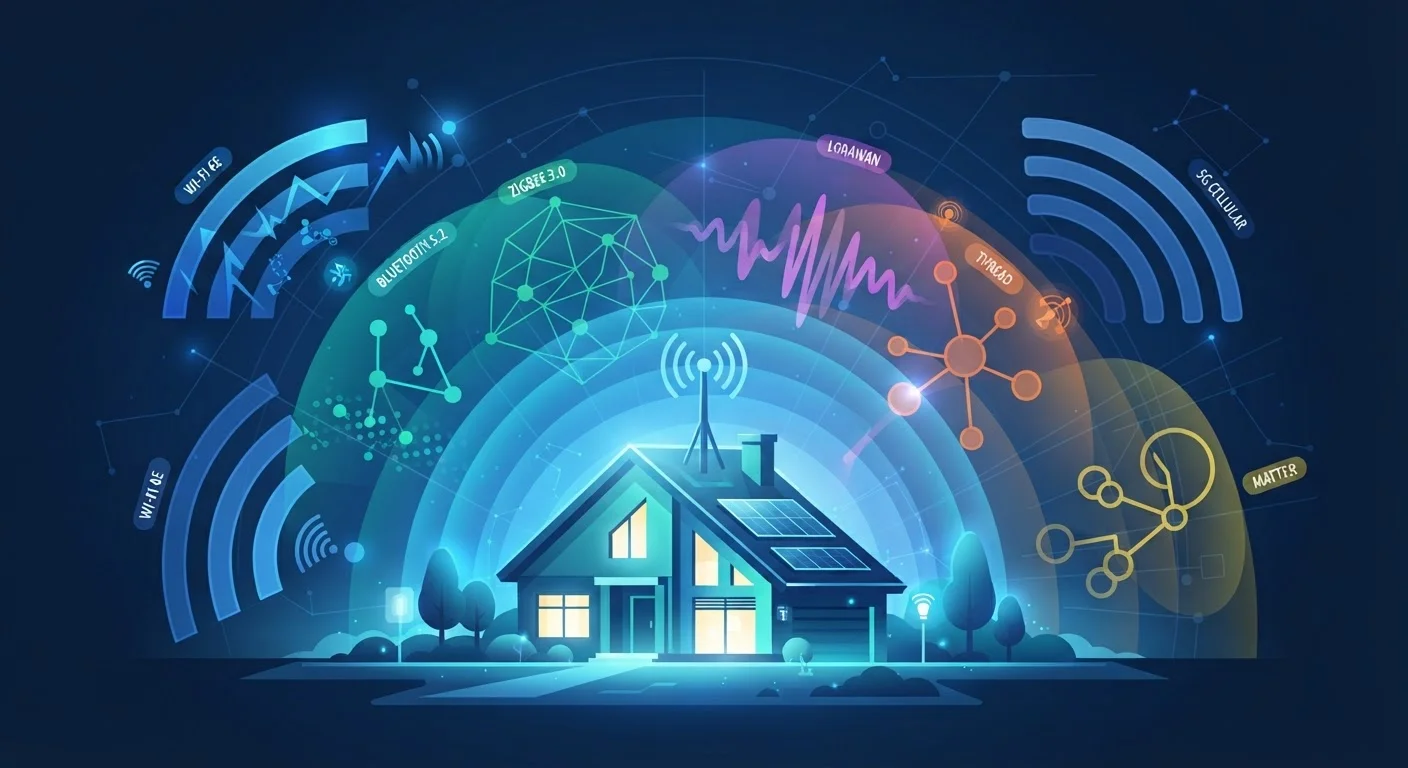
Smart home devices don't all speak the same wireless language. A door lock might use Z-Wave. Smart bulbs often use Zigbee. Your thermostat probably connects over Wi-Fi. Each protocol has legitimate reasons for existing — different trade-offs in range, power consumption, and network capacity — but they can't talk to each other directly.
A dedicated smart home hub sits in the middle of this ecosystem and acts as a universal translator. It contains multiple radios so it can receive signals from a Zigbee bulb, understand them, and pass instructions to a Z-Wave lock — all without you managing the technical handoff manually. The result is a single interface, or a coordinated set of automations, that spans devices from different manufacturers and different wireless standards.
This is fundamentally different from a router or a simple voice assistant. A router moves data between your home network and the internet. A hub manages device-to-device logic locally. Understanding that distinction helps clarify when you actually need one. For a broader look at how these pieces fit together, our article on smart home trade-offs covers the setup complexity that hubs can both solve and introduce.
4+
Wireless protocols commonly found in home devices
Z-Wave, Zigbee, Wi-Fi, and Bluetooth are each common in consumer smart home products, creating real interoperability challenges without a hub.
~30%
Smart home users who report device compatibility issues
Industry surveys consistently find that protocol fragmentation is among the top frustrations reported by smart home owners.
232
Maximum Z-Wave devices per network
Z-Wave's mesh networking architecture, managed through a hub, supports up to 232 nodes — far more than most households will ever need.
When You Don't Need a Hub
The honest answer is that a large portion of smart home setups don't require a dedicated hub at all. If every device you own connects to Wi-Fi and is controlled through a single app or voice assistant, your router is already doing the coordination job. Adding a hub to this type of setup creates unnecessary complexity without meaningful benefit.
A hub-free setup works well when:
- All your devices are from one ecosystem (e.g., all compatible with one platform's native app)
- Your devices all use Wi-Fi as their primary protocol
- You have fewer than a dozen devices with simple on/off automations
- You don't mix devices across brands with incompatible protocols
Many first-time smart home buyers assume a hub is a required starting point. It isn't. Our piece on smart home myths addresses this and several other misconceptions that can lead new users to over-engineer their setup from day one.
Start Simple, Then Evaluate
If you're new to smart home devices, begin with a few Wi-Fi-based products in a single app ecosystem before investing in a hub. After three to six months, you'll have a clearer picture of whether protocol diversity or automation complexity is pushing you toward needing one. Buying a hub preemptively often leads to a setup you'll reconfigure anyway.
When a Hub Adds Real Value
A hub earns its place in setups that involve protocol diversity, deeper automation logic, or a preference for local control. Specifically, consider a hub if:
- You're mixing protocols. If you own or plan to own Z-Wave and Zigbee devices alongside Wi-Fi gear, a hub is the practical way to unify them.
- You want reliable local processing. Hubs with local execution keep your automations running even when your internet is unavailable. Cloud-dependent devices can't make the same guarantee — a distinction explored in detail in our article on local vs. cloud-dependent devices.
- You're building complex automations. Multi-step routines that involve sensors, locks, lights, and climate controls across brands are far easier to manage through a hub's unified logic engine than through multiple disconnected apps.
- You have a larger home. Z-Wave and Zigbee mesh networks — which a hub coordinates — can extend device range more efficiently than Wi-Fi alone. If dead zones are already a challenge, see our guide on mesh networks and smart devices.
Smart Speakers Aren't Always Full Hubs
Some smart speakers include a Zigbee or Thread radio and market themselves as hub-capable. These work well for basic protocol bridging but typically offer more limited automation logic than a dedicated hub platform. If advanced routines matter to you, it's worth comparing the automation capabilities specifically — not just the protocol support list. Our article on smart speakers vs. smart displays covers how these devices differ in practical household roles.
The Matter Standard and What It Changes
Matter is a relatively new cross-brand compatibility standard backed by major tech and device manufacturers. Its goal is to let devices from different companies work together without requiring a separate protocol-bridging hub. A Matter-certified light switch can, in principle, be added to any Matter-compatible platform regardless of brand.
This is meaningful progress — but it doesn't eliminate hubs overnight. Matter does not retroactively support the millions of existing Z-Wave and Zigbee devices already installed in homes. Hubs that support Matter alongside legacy protocols are increasingly common, positioning themselves as bridges between the old ecosystem and the new one rather than becoming obsolete.
For most consumers building a new setup today, starting with Matter-compatible devices reduces the need for a dedicated hub. For anyone with an existing mixed setup, a hub that bridges Matter and legacy protocols is likely to remain the most practical solution for years to come.
“The goal was never for consumers to understand protocols — it was for their devices to just work together. Matter is the industry's acknowledgment that the protocol fragmentation problem needed a structural solution, not just better marketing.”
— Connectivity Standards Alliance representative, Industry standards body overseeing the Matter specification